
Drops, handled.
Track campaign rewards and automatically claim eligible drops and channel point bonuses.
Explore Twitch supportFarm Twitch and Kick drops, claim rewards, and keep your favourites in order. All from one quiet little workspace.
No Lurkloot account. No subscription. Just install.
Interactive preview · sample data · no real farming
Less checking tabs.
More getting on with your day.
Install the extension and sign in to Twitch or Kick in your browser. Lurkloot uses your existing session.
Choose your games, review available campaigns, and decide what should be farmed first.
Lurkloot finds eligible channels, follows progress, switches when needed, and claims available rewards.
Farming order
Give the games you care about a place at the front. Every campaign has a place in one queue, and this is the order Lurkloot works through it.
Pin a campaign and it goes to the front of the queue. Drag pins into any order, or tell Lurkloot to farm pinned campaigns only.
Star a game and its campaigns rank above everything you haven't pinned. Block one and it's never farmed at all.
The rest follows the strategy you choose: campaigns that end soonest first, or the ones with the fewest channels to watch.
When there are no eligible drops, your watchlist can keep Lurkloot watching the channels you choose. The first one that's live gets the view.
Views from the extension · sample data
Supported rewards
Switch between them in one click. Each platform keeps its own games, order and settings.
Track campaign rewards and automatically claim eligible drops and channel point bonuses.
Explore Twitch supportFollow Kick campaigns, collect drops, and open daily challenge cards from the same workspace.
Explore Kick supportEnable optional support for selected Twitch extensions. Manage supported rewards alongside your regular farming.
Optional permissions are requested when you enable support.
 Rust
Rust Escape from Tarkov
 Apex Legends
 Warframe
 Rainbow Six Siege
 Dead by Daylight
 Destiny 2
 Sea of Thieves
 PUBG: Battlegrounds
 Diablo IV
 Delta Force
 War Thunder
 Path of Exile 2
 New World: Aeternum
 Lost Ark
 Hunt: Showdown 1896
 World of Tanks
 Arena Breakout
 Black Desert
 World of Warships
 Elder Scrolls Online
 Albion Online
 SMITE 2
 VALORANT
 Marvel Rivals
 ARC Raiders
 Call of Duty: Warzone
 Overwatch
 Genshin Impact
 World of Warcraft
 Battlefield 6
 Black Ops 7
 THE FINALS
 Honkai: Star Rail
 Hearthstone
 Zenless Zone Zero
 Fortnite
 Wuthering Waves
 Grand Theft Auto V
 Rocket League
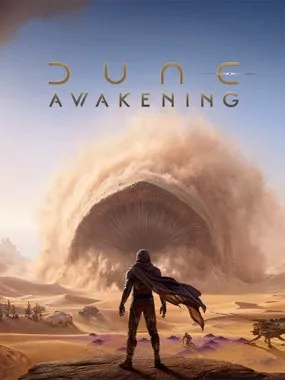 Dune: Awakening
 EA Sports FC 26
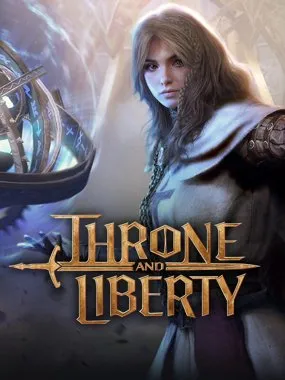 Throne and Liberty
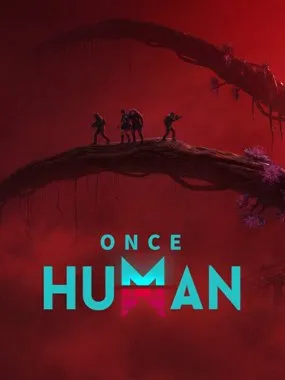 Once Human
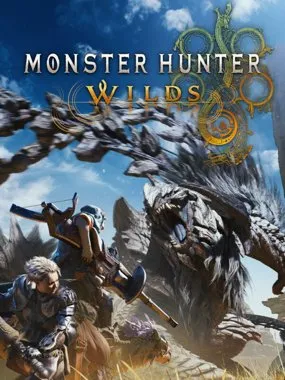 Monster Hunter Wilds
 DayZ
DayZYour games. Your order. Campaign availability varies.
Under the hood

Default · low-resource
Instead of pinning a video tab and burning bandwidth, Lurkloot keeps your watch time counting quietly in the background. If progress ever stalls, it falls back to a muted tab, so you don't lose the drop.
Two ways to run Lurkloot.
One shared farming engine.
The easiest place to start. Use your logged-in sessions, manage everything in the popup, and let farming run while your browser stays open.
Run the same farming engine on a server, NAS, or Raspberry Pi, and manage your setup from the command line.
# link Kick with a code from any device
docker run --rm -it -v "$PWD/data:/data" \
  ghcr.io/jamezrin/lurkloot-cli:latest auth kick device-login

# bring Twitch over from the extension's export
docker run --rm -i -v "$PWD/data:/data" \
  ghcr.io/jamezrin/lurkloot-cli:latest auth import - < creds.json

# then leave the farming loop running
docker run -d --name lurkloot --restart unless-stopped \
-v "$PWD/data:/data" ghcr.io/jamezrin/lurkloot-cli:latestFAQ
Your session stays yours. The extension runs in your browser, without a separate Lurkloot account or a password to hand over.
Yes. The browser extension, headless CLI, and Docker image are free and open source. There are no subscriptions or paywalled features, and you do not need a separate Lurkloot account.
Install the extension from the Chrome Web Store in a compatible Chromium browser, then sign in to Twitch or Kick as usual. Choose your games and enable farming. Some campaigns also require linking your game account; Lurkloot cannot complete that step for you.
Yes, when you use the extension. Your computer must stay awake and your browser must remain running. Background farming can work without a video tab; if it stalls, Lurkloot can fall back to a muted tab. For a machine without a desktop browser, use the headless CLI or Docker image.
Yes, one account per browser profile. The extension farms whichever account is signed in to the browser it runs in, so create a separate profile for each account (in Chrome, click your profile icon in the top-right corner), sign in to a different Twitch or Kick account in each one, and install Lurkloot in every profile. Each profile farms on its own with its own settings; there is no single dashboard across them. For many accounts, the headless CLI works the same way: give each account its own config directory, or its own Docker container and data volume.
Yes. Use the game controls and campaign queue to adjust your priorities, exclude campaigns you do not want, and choose a farming strategy. A watchlist can keep your preferred channels playing when no eligible drop campaigns remain.
Yes. The browser extension includes optional support for selected Twitch extensions. Enable the support you want and grant any required permissions. Availability and reward requirements depend on the supported extension; this is separate from ordinary Twitch Drops.
Lurkloot discovers campaigns from Twitch and Kick, but earning a reward still depends on campaign availability, eligible channels, and your account meeting the requirements. It is an independent, unofficial tool. Platform changes can affect farming, and rewards are not guaranteed.
Set your priorities. Get back to what you were doing.
Get Lurkloot — freeNo Lurkloot account · No subscription · Just install